Five Bounties, One SSRF: What Repeated Bypasses Teach Us About Fixing Server-Side Request Forgery
A deep, practical breakdown of a blind SSRF vulnerability exploited five different ways, showing why superficial patches fail and how SSRF must be fixed architecturally, not incrementally.
Disclaimer
This article is written strictly for educational and defensive security purposes.
All techniques discussed must only be tested on applications you own or have explicit authorization to assess (such as approved bug bounty programs).The goal of this write-up is to explain how SSRF vulnerabilities evolve, why incomplete fixes fail, and how developers can build durable, architecture-level protections.
Introduction
One of the most dangerous misconceptions in application security is the belief that a vulnerability disappears once a patch is deployed.
This SSRF case study proves the opposite.
Over the course of repeated testing, the same Server-Side Request Forgery vulnerability was exploited five separate times, each using a different technique. Each exploit resulted in a bounty. Each patch addressed only the last payload, not the root behavior.
What makes this story valuable is not just the exploitation itself, but the pattern it reveals:
When defenses focus on strings instead of network boundaries, SSRF never truly goes away.
This blog walks through each technique, explains why it worked, and—most importantly—what it teaches about proper SSRF mitigation.
What Is SSRF (and Why Blind SSRF Still Matters)?

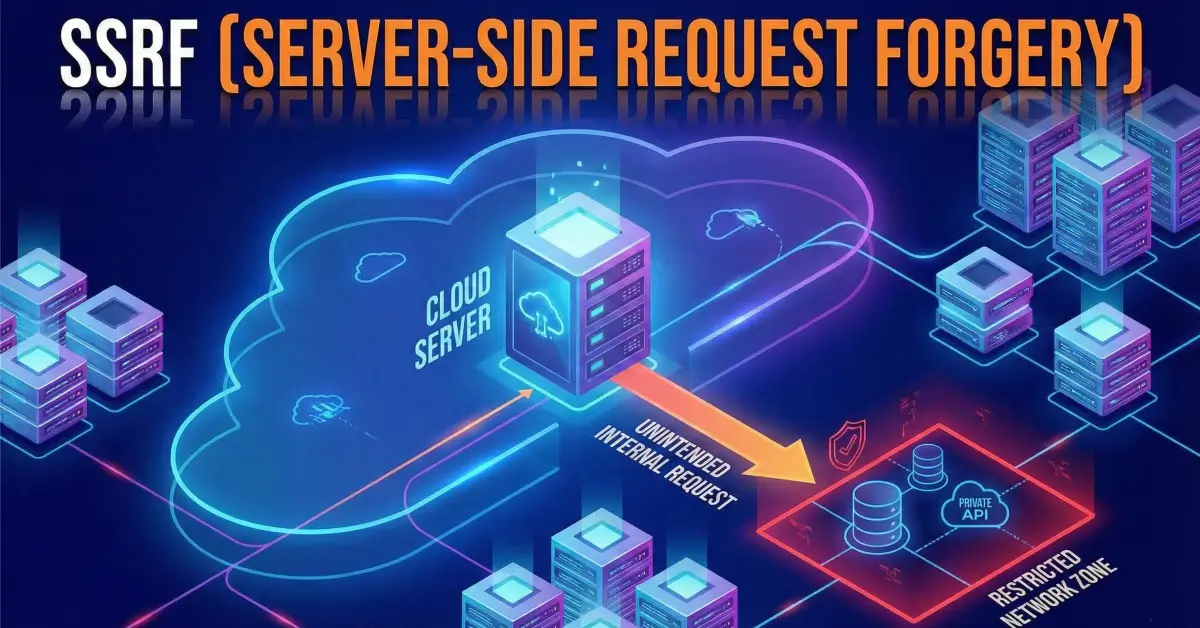
Server-Side Request Forgery occurs when an application allows user-controlled input to influence outbound requests made by the server.
Instead of the attacker making requests directly, the server becomes the attacker’s proxy.
In this case, all examples were Blind SSRF, meaning:
-
The attacker could not read response bodies
-
Success was inferred using:
- Response timing
- Connection delays
- Error vs success behavior
Blind SSRF is still highly dangerous because it enables:
- Internal port scanning
- Access to cloud metadata services
- Interaction with internal APIs
- Network mapping
- Lateral movement inside private networks
The Vulnerable Feature: WooCommerce Integration
The vulnerable functionality involved integrating a WooCommerce store by submitting a shop_Url.
The backend attempted to validate the shop by making a request like:
The mistake was fundamental:
The server trusted the URL entirely.
No proper normalization. No CIDR-based filtering. No redirect destination validation. No internal network blocking.
Technique #1: Localhost Port Scanning via 127.0.0.1

What Happened
By setting:
The server made a request to its own loopback interface.
Timing differences revealed open vs closed ports:
- Fast response → port open
- Timeout → port closed
Why It Worked
- No IP validation
- No loopback filtering
- Direct request forwarding
Result
- Internal port scanning
- First bounty awarded
Technique #2: Loopback CIDR Bypass (127.0.1.3)

What Changed
The application blocked 127.0.0.1.
But it forgot that loopback is a CIDR range, not a single IP.
Using:
achieved the same effect.
Root Cause
- Filtering only blocked specific strings
- No CIDR awareness (
127.0.0.0/8)
Result
- SSRF still exploitable
- Second bounty earned
Technique #3: Octal IP Representation

The Bypass
Using octal notation:
This resolves to 127.0.0.1, but bypasses string-based checks.
Why This Worked
- Input was not normalized
- Validation occurred before DNS/IP resolution
- Backend resolver interpreted octal correctly
Result
- Loopback access restored
- Third bounty earned
Technique #4: Chaining SSRF via Open Redirect

Strategy Shift
Instead of targeting localhost directly, the attacker used an open redirect:
The server followed the redirect automatically.
Critical Mistake
- Redirects were followed blindly
- Final destination was never revalidated
Result
- Internal access via trusted external domain
- Fourth bounty earned
Technique #5: Metadata Service & Internal Network Access

The Final Escalation
Using the same redirect trick, but targeting:
This is the AWS metadata service.
Even without reading the response, timing behavior confirmed access.
Why This Was Dangerous
-
Metadata services can expose:
- IAM role credentials
- Instance metadata
- Cloud configuration
Result
- Blind verification of metadata access
- Fifth bounty earned
The Core Lesson: Why Every Fix Failed
Across all five techniques, the same pattern emerged:
- Fixes blocked payloads, not capabilities
- Validation was string-based
- Input was not normalized
- Redirect destinations were trusted
- Internal IP ranges were incompletely defined
Each patch treated SSRF as an input problem.
SSRF is a network boundary problem.
How SSRF Should Actually Be Fixed

1. Normalize Before Validation
- Resolve hostnames
- Normalize IPs
- Reject alternative encodings
2. Block All Internal Address Ranges
At minimum:
- 127.0.0.0/8
- 10.0.0.0/8
- 172.16.0.0/12
- 192.168.0.0/16
- 169.254.169.254
3. Revalidate After Redirects
- Inspect final destination
- Apply the same IP checks again
4. Use Allow-Lists, Not Block-Lists
Only allow known-good external domains.
5. Separate Validation from Fetching
Never use user input directly in HTTP clients.
Why This Story Matters
This case demonstrates a critical truth:
SSRF does not disappear after the first fix.
It evolves.
Security teams that patch incrementally often create a false sense of safety—while attackers simply change perspective.
Final Thoughts
Five bounties from one vulnerability is not luck.
It’s a lesson in systems thinking.
If SSRF defenses do not reflect how networks actually work, they will always be bypassed.
Fix the behavior, not the payload.
References
- OWASP SSRF Cheat Sheet
- CWE-918: Server-Side Request Forgery
- AWS EC2 Instance Metadata Service
- PortSwigger Web Security Academy – SSRF