Lab: SQL injection attack, querying the database type and version on Oracle
Beginner-friendly, step-by-step walkthrough: use a UNION-based SQL injection against an Oracle backend to reveal the database version string (v$version / BANNER). Includes exact payloads (placeholders), Repeater workflow, troubleshooting, detection recipes and developer remediation.
⚠️ Disclaimer
This write-up is for education and defensive research only. Use these techniques exclusively in legal, controlled environments such as PortSwigger Web Security Academy or your own lab. Do not run these tests against systems you don't own or have explicit permission to test.
TL;DR
This lab demonstrates how to use a UNION-based SQL injection on an Oracle-backed application to retrieve the database version string (for Oracle that string lives in v$version or the BANNER column). Key steps:
- Identify vulnerable parameter (the product category filter).
- Use
UNION SELECT ... FROM dualwhen the DB is Oracle (Oracle requires a FROM). - Determine number of columns and which accept text.
- Run
UNION SELECT BANNER, NULL FROM v$version--(adapted to column count) to retrieve the version. - Use the discovered information to proceed with your lab task.
Below I explain each step I performed in Burp Repeater, why it works, troubleshooting, detection ideas, and developer remediation - all in plain language.
1 - Lab goal & mental model
Lab objective (PortSwigger): Exploit a SQL injection in the product category filter to display the database version string. On Oracle, the version appears in v$version (BANNER) which we can query with UNION SELECT.
Why retrieve version? Knowing DB type and version is valuable because:
- It helps craft DB-specific payloads (Oracle syntax differs from MySQL/Postgres).
- It reveals unpatched versions that may have known flaws.
- It informs defensive recommendations (e.g., patching, disabling vulnerable features).
For this lab the intended method is a UNION-based attack because query results are reflected in the page response.
2 - Recon: find the injection spot
I proxied my browser through Burp and navigated the shop. The product category filter uses a GET /filter?category= style parameter. The captured request (sanitized) looked like:
The app returns product results for a category in the HTML response - so it reflects query output in-band. That makes UNION attacks possible: if we append a UNION SELECT ... that returns compatible columns, the extra results will be shown.

3 - Quick safety checks: do not run destructive queries
When testing SQLi, avoid destructive payloads. Use SELECT and NULL placeholders, not DROP/UPDATE. In a lab, UNION SELECT with NULL or small string literals is sufficient to probe column counts and types.
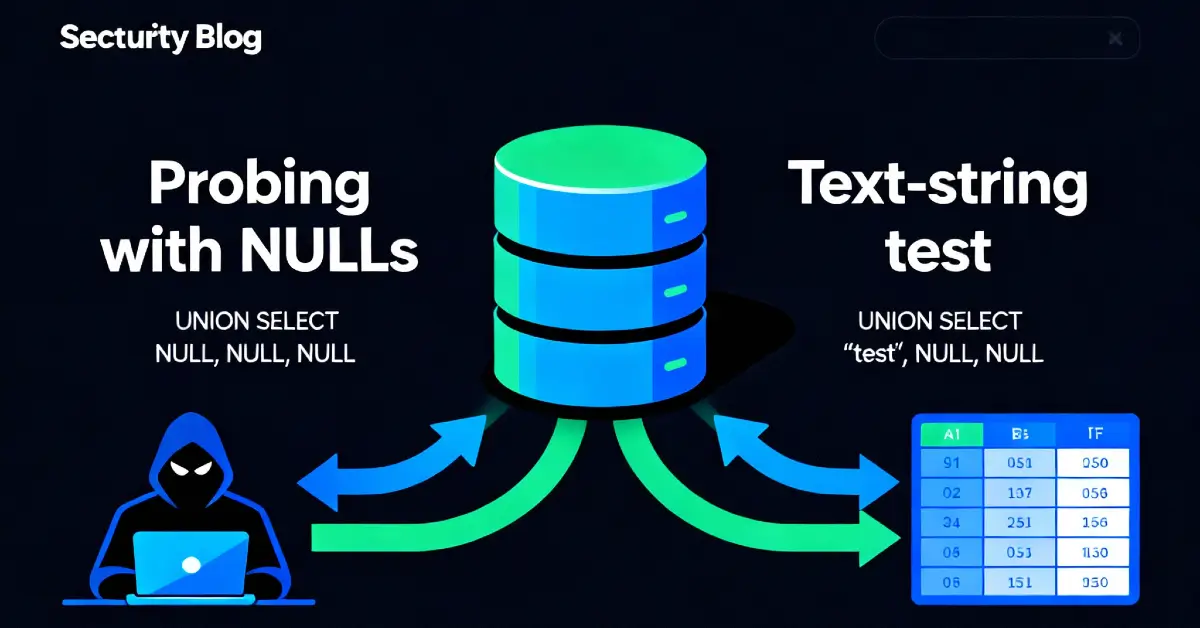
4 - Step 1 - Count columns and test text compatibility
The first task is to learn how many columns the original query returns and which columns accept text (string) data. Typical fast approach:
- Try
UNION SELECT NULLand see whether the server returns an error or "Attack detected". - Increment number of
NULLs until the response stops erroring - that tells you the column count.
Examples I used in Repeater (replace <LAB_HOST>):
If you get an error (500), increase columns:
When the above returns 200 OK and displays results, you've matched the number of columns. In the lab screenshots I had to reach two NULLs - so the original query returns two columns.
Next test which columns accept text:
If the response shows 'abc' or 'def' in the page, you know those columns accept text and you can place BANNER (string) into a compatible slot.
Why FROM dual? Oracle requires a FROM clause even for a scalar literal. dual is a built-in one-row table used exactly for this purpose.


5 - Step 2 - Extract the version string
Once you've determined there are two text-capable columns, the payload to retrieve the version uses the Oracle metadata view v$version and the BANNER column:
Explanation:
UNION SELECT BANNER, NULL FROM v$versionreturns rows representing version strings;NULLfills the second column to match count.- The
--comments out any trailing characters and keeps the request well-formed.
On successful execution the application response contains the version string - for example TNS for Linux: Version 11.2.0.2.0 - Production (lab example). That confirms the DB type (Oracle) and gives the exact version string.


6 - Repeater workflow I used (concrete sequence)
- Capture request: Proxy the website, find
GET /filter?category=request. - Send to Repeater: Right-click → Send to Repeater.
- Test column count: Start with
UNION SELECT NULL FROM dualand increaseNULLs until no error. - Test text columns: Use
UNION SELECT 'Her','ish' FROM dualand look for'Her'/'ish'in response. - Run version query: Use
UNION SELECT BANNER, NULL FROM v$version--and inspect response body for the banner text. - Document: Capture screenshots, save the exact request used (with
<LAB_HOST>as placeholder), and redact any sensitive info in reports.
7 - Why Oracle needs FROM dual and v$version specifics
- Oracle’s SQL grammar mandates
FROMeven for selecting a literal.dualis a special single-row table provided for that reason. v$versionis a dynamic performance view in Oracle exposing banner/version strings. Its columnBANNERcontains human-readable version info. Not all databases expose the version via the same name; this is Oracle-specific.
This is why fingerprinting the DB before launching extensive exploitation is important - the payload syntax and metadata views differ by DB.
8 - Troubleshooting & common pitfalls
| Symptom | Likely cause | Action |
|---|---|---|
| 500 Internal Server Error | Wrong column count | Add or remove NULLs until response stops erroring |
| No result or empty extra rows | Incompatible column types | Return text in a known text column (e.g., 'abc') to test which column accepts strings |
ORA- errors showing in response |
Application reveals DB errors - useful but risky | Capture error text, proceed carefully; do not extract secrets beyond lab scope |
| Payload blocked | WAF or input filter | Try encoding or escaping; in labs usually no WAF, but in real targets be careful |
v$version query returns many rows |
Expect multiple banner rows; just read the one you need or filter | Use WHERE ROWNUM=1 if you need only first row |
Tip: To reduce clutter, use FROM (SELECT BANNER FROM v$version WHERE ROWNUM = 1) or append WHERE ROWNUM = 1 if you need only one string.
9 - Defensive perspective - how to prevent this
This section is critical for developers and ops.
9.1 Fix the root cause: parameterize queries
- Use prepared statements and bind variables for all user-supplied input. Example (pseudo):
Parameterization prevents user input from being interpreted as SQL.
9.2 Input validation & canonicalization
- Validate that category values conform to expected patterns (e.g., known category names or IDs). Reject suspicious characters like
'or SQL keywords when not expected.
9.3 Least privilege DB accounts
- The web application should connect to the DB with an account that has minimum permissions - certainly not access to DBA views (
v$*). If the web role cannot readv$version, a UNION againstv$versionwould fail.
9.4 Error handling & logging
- Do not expose raw database errors in HTTP responses. Log them internally, but show generic user-facing errors.
9.5 WAF & runtime protections (defense-in-depth)
- WAFs can help detect patterns but are not a substitute for parameterization. Use WAF rules to raise alerts on suspicious
UNIONpatterns or repeated injection attempts.
9.6 CI / automated tests
- Add tests in CI that attempt safe, non-destructive SQLi probes in staging to detect regressions early.
10 - Detection & SIEM rules
- Alert on queries that include
UNION SELECTpatterns in user-supplied inputs or logged SQL statements. - Monitor DB account behavior - unusual reads of
v$versionordba_views by web accounts should be escalated. - WAF rule: flag requests where category parameters contain SQL metacharacters (
',--,UNION,SELECT) and correlate with increased rate from same IP.
11 - Real-world implications (short case studies)
Case A - Blind to full compromise
Discovering DB type and version can enable an attacker to craft DB-specific payloads that exploit unpatched features. In the wild, attackers have used version info to target known stored-procedure vulnerabilities or to craft efficient exfiltration payloads.
Case B - Least privilege lapses
If web accounts can query metadata views like v$version, they likely have excessive privileges. This frequently indicates an environment where privilege separation is lax - a major risk for privilege escalation.
12 - Example payloads (lab-safe, placeholders)
Use these only in authorized lab environments. Replace <LAB_HOST>.
Find column count
Test text columns
Retrieve version
Limit results to a single row (optional)
13 - Reporting checklist (copy-paste)
- Show PoC request with placeholders for
<LAB_HOST>. - Include Repeater screenshots showing
UNIONpayload and resulting version string. - Recommend parameterized queries and privilege reduction.
- Suggest rotating any credentials if sensitive data was exposed.
- Add staging tests for SQL injection regressions.
14 - Final thoughts
This lab is a classic: short, focused, and highly educational. It reinforces two practical lessons:
- Always determine the DB type early - it dictates payload syntax.
- Parameterization is not optional - it stops UNION attacks and almost all SQL injection classes.
References
- PortSwigger Web Security Academy - SQL injection labs and cheat sheets.
- Oracle documentation -
v$versionanddualusage. - OWASP - SQL Injection Prevention Cheat Sheet.