Anyone Could Change Your Email Preferences: A Silent Business Logic Failure
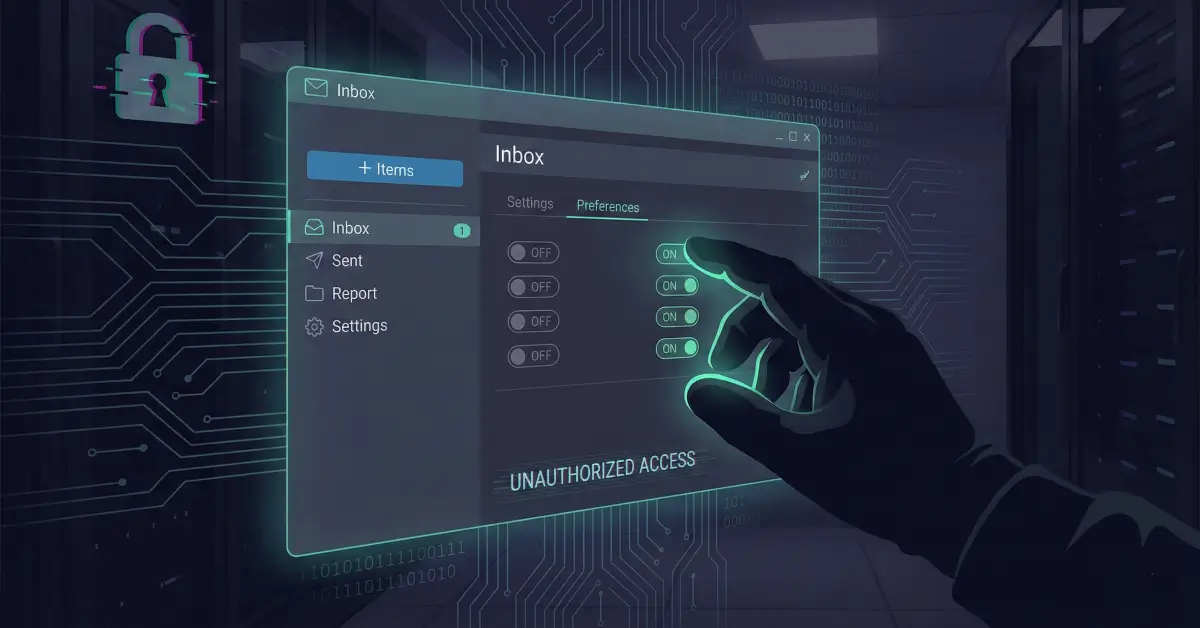
A deep dive into a real-world business logic flaw where unauthenticated APIs allowed attackers to silently change and verify any user's email preferences using only an email address.
Disclaimer
This article is published strictly for educational and defensive security purposes.
All sensitive identifiers have been anonymized.
The vulnerability discussed was responsibly disclosed and resolved.
Do not attempt to exploit systems without explicit authorization.
Introduction
Some of the most dangerous vulnerabilities in modern web applications don’t involve exotic payloads, memory corruption, or cutting-edge exploitation techniques. They live quietly in business logic-areas where developers make assumptions about who is allowed to do what, and why.
This write-up examines a deceptively simple flaw that allowed anyone on the internet to change any user’s email preferences, without authentication, authorization, or notification. Worse, a second endpoint made it trivial to confirm that the changes had taken effect.
No login.
No tokens.
No alerts.
Just an email address.
This blog reframes the original researcher’s discovery as a lesson in secure API and business logic design, focusing on why the bug existed, how it could realistically be abused, and what engineering teams should do to prevent similar failures.

High-Level Summary
- Vulnerability Class: Broken Authentication + Business Logic Flaw
- Affected Component: Email subscription management APIs
- Attack Prerequisites: None (unauthenticated)
- User Interaction Required: None
- Impact: Silent modification of user email preferences
- Severity: High (Integrity + Availability of user communications)
The Feature That Started It All
Most large platforms provide an email preferences or subscription management page. These pages usually allow users to:
- Opt in or out of marketing emails
- Disable newsletters
- Manage notification frequency
- Control promotional vs transactional emails
From a UX perspective, these features are designed to be simple and frictionless. From a security perspective, however, that simplicity can be dangerous.
In this case, the researcher navigated to the Manage Subscriptions page while logged in and observed the background API calls responsible for updating preferences.
What appeared was a surprisingly minimal request.
Observing the Update Request
When a subscription setting was changed, the browser sent a POST request resembling the following:
At first glance, this might not look alarming. But a closer inspection revealed something critical:
- No session cookie validation
- No CSRF token
- No authorization header
- No signature or nonce
The email parameter alone was used as the identity of the user whose preferences were being changed.

The Dangerous Assumption
The system implicitly assumed:
“If someone knows the email address, they must be the owner.”
This assumption is fundamentally flawed.
Email addresses are:
- Publicly exposed
- Guessable
- Shared on social media
- Often listed on company websites
- Frequently leaked in breaches
Treating an email address as proof of identity is equivalent to treating a username as a password.
Testing the Boundary
To validate whether this was just a front-end issue or a true server-side flaw, the researcher replaced their own email with another valid email address.
The server responded:
No error.
No warning.
No authentication challenge.
At this moment, the vulnerability crossed from suspicious to confirmed.
Why This Is Worse Than It Looks
On its own, being able to unsubscribe someone from newsletters might sound low impact. But real-world email systems often use the same preference pipeline for:
- Security alerts
- Billing notifications
- Account activity warnings
- Product announcements
- Compliance notices
Silently disabling these communications can have cascading effects.
But the most dangerous part was still undiscovered.
The Confirmation Endpoint: Turning a Bug into a Weapon
While exploring related API calls, the researcher found a second endpoint:
This endpoint returned the current subscription state for the supplied email address.
Again:
- No authentication
- No authorization
- No rate limiting
And the response?
This confirmed-programmatically-that the preferences had been changed.

Why Verification Changes Everything
Without a confirmation endpoint, an attacker might suspect that their action worked.
With one, they can prove it instantly.
This transforms the vulnerability from:
- Annoying but uncertain
into:
- Reliable, automatable, and scalable
An attacker could:
- Loop through leaked email lists
- Modify preferences
- Immediately verify success
- Repeat at scale
All without a single login attempt.
The Silent Impact on Victims
Perhaps the most unsettling aspect: users were never notified.
No email saying:
- “Your preferences were updated”
- “If this wasn’t you, click here”
- “Security alert: settings changed”
From the victim’s perspective:
- Emails just stop arriving
- Alerts go missing
- Billing notices are never seen
This silence is what makes the vulnerability especially dangerous.

Realistic Abuse Scenarios
1. Suppressing Security Notifications
An attacker could unsubscribe users from:
- Password reset alerts
- Login warnings
- MFA notifications
This weakens the user’s ability to detect future attacks.
2. Business Disruption
Disabling transactional or operational emails can:
- Delay invoices
- Prevent legal notices
- Cause missed deadlines
In enterprise environments, this becomes a business continuity issue.
3. Reputation Damage
If thousands of users suddenly stop receiving communications:
- Support tickets spike
- Trust erodes
- Deliverability metrics suffer
All from a flaw invisible to end users.
Root Cause Analysis
1. Email Used as Authentication
The system treated an identifier as an authenticator.
Identifiers describe who someone is.
Authenticators prove that they are that person.
An email address is not an authenticator.
2. Missing Authorization Layer
Neither endpoint checked:
- Whether the requester was logged in
- Whether they owned the email
- Whether they had permission to view or modify data
3. Over-Optimized UX
In an attempt to reduce friction, security checks were removed-or never added.
This is a classic case of UX convenience overriding security fundamentals.
Secure Design: What Should Have Happened
Authentication Required
Every preference change must require:
- A valid session
- Ownership verification
Authorization Enforcement
The server must assert:
- “Is this user allowed to modify this email’s preferences?”
State Change Notifications
Users should be notified when:
- Preferences change
- Security-related settings are updated
Defense-in-Depth
Even if one control fails:
- CSRF tokens
- Rate limiting
- Audit logs
should still protect the system.
How Developers Can Detect Similar Issues
During Code Review
Look for endpoints that:
- Accept identifiers like email, user_id, or phone
- Perform state changes
- Lack explicit authorization checks
During Testing
Ask:
- “Can I change someone else’s data by changing one parameter?”
- “Does the server trust user input too much?”
During Architecture Design
Never assume:
- “This endpoint is harmless”
- “Nobody would abuse this”
- “The frontend handles that”
Attackers don’t use your frontend.
Lessons for Security Researchers
- Business logic bugs often hide in plain sight
- Simple endpoints deserve the same scrutiny as complex ones
- Confirmation endpoints dramatically increase severity
- Impact narratives matter as much as reproduction steps
This vulnerability didn’t require brilliance-just curiosity and persistence.
Lessons for Engineering Teams
- Public identifiers are not secrets
- Every state-changing action needs authorization
- Silence is dangerous-users need visibility
- Security failures often stem from assumptions, not code complexity
Conclusion
This vulnerability is a powerful reminder that security is not only about exploits-it’s about trust boundaries.
By trusting an email string as proof of identity, the system handed control of user communications to anyone who asked nicely enough.
No malware.
No payloads.
No alerts.
Just a broken assumption.
And that’s often all an attacker needs.
References
- OWASP API Security Top 10
- OWASP Broken Authentication
- Real-world bug bounty disclosure (anonymized)