When Editors Become Owners: A GraphQL Business Logic Privilege Escalation
A deep, defensive walkthrough of a real-world GraphQL business logic flaw where Editors escalated to Owner privileges by tampering with role variables in a share workflow.
Disclaimer
This article is published strictly for educational and defensive security purposes.
All application names, identifiers, and sensitive details have been anonymized.
The vulnerability discussed was responsibly disclosed.
Do not attempt to test or exploit systems without explicit authorization.
Introduction
Not all privilege escalation vulnerabilities rely on memory corruption, race conditions, or cryptographic failures. Some of the most damaging escalations are born from something far more subtle: business logic mismatches between the UI and the backend.
This write-up examines a real-world GraphQL authorization flaw where a user with Editor privileges could silently promote themselves - and others - to Owner by modifying a single request parameter. No bypassing authentication. No token theft. Just trusting the client a little too much.
What makes this vulnerability particularly dangerous is how normal everything looks. The UI behaves correctly. The permissions model appears solid. But under the surface, the API tells a very different story.
This blog reframes the original researcher’s finding as a broader lesson in secure GraphQL design, server-side authorization, and why “the UI won’t allow it” is never a security control.
High-Level Summary
- Vulnerability Class: Business Logic Flaw / Privilege Escalation
- Technology: GraphQL API
- Attack Vector: Parameter tampering
- Privileges Required: Editor
- Impact: Full project ownership takeover
- Severity: High
Understanding the Permission Model
The target application supported collaborative projects with role-based access control. The relevant roles were:
- Viewer - Read-only access
- Editor - Can modify project content
- Owner - Full control (users, settings, exports, deletion)
From a user’s perspective, this model worked exactly as expected.
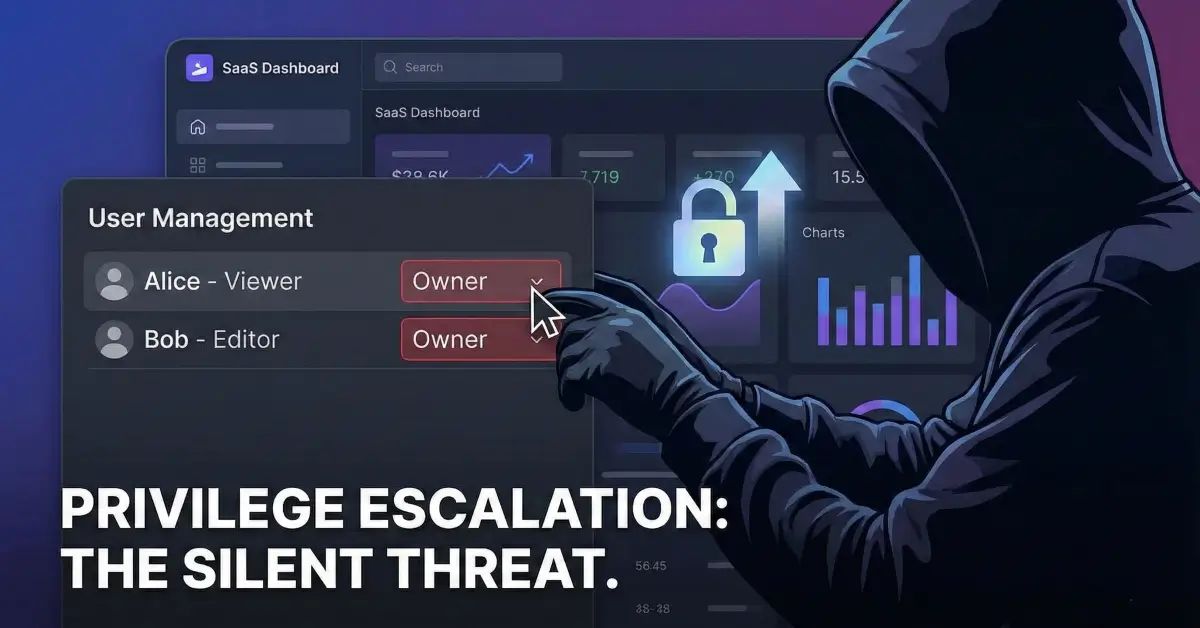
When an Editor attempted to share a project using the UI, only Editor and Viewer roles were selectable. The Owner role was hidden entirely.
This is where many systems stop thinking about security.
The Dangerous Assumption
The application made a critical assumption:
“If the UI doesn’t expose an option, the user can’t choose it.”
Unfortunately, attackers don’t interact with applications the way designers expect them to.
They interact with requests.
The Share Flow Under the Hood
When an Editor used the “Share with workspace members” feature, the browser sent a GraphQL request similar to the following.
At first glance, nothing looked suspicious. The role was set to "Editor", exactly as the UI allowed.
But GraphQL requests are just JSON. And JSON can be edited.

The Moment Everything Broke
The researcher made one small change.
They replaced:
with:
The modified request was then resent to the server.
The result?
The backend accepted it without question.

What Happened Next
Once the request was processed:
- The targeted members were granted Owner privileges
- Ownership changes took effect immediately
- The UI updated to reflect the new permissions
- No warnings, alerts, or validation errors appeared
At that moment, an Editor had effectively rewritten the authorization model.
Why This Worked

This vulnerability existed because of a fundamental backend failure, not a frontend bug.
1. No Server-Side Role Enforcement
The API did not verify whether the requester was allowed to assign the requested role.
It trusted the role variable entirely.
2. UI-Based Security Assumption
The application relied on the UI to enforce permission boundaries, instead of enforcing them on the server.
This is not a security control. It is a design shortcut.
3. GraphQL Flexibility Without Guardrails
GraphQL’s flexibility allows clients to send complex structured data. Without strict authorization logic at the resolver level, this flexibility becomes a liability.
Impact Analysis

Technical Impact
- Full project takeover
- Ability to add/remove users
- Ability to export or delete project data
- Ability to change billing-related or security settings
Organizational Impact
- Lateral movement across projects or workspaces
- Data integrity compromise
- Loss of user trust
- Potential compliance violations
Abuse Scenarios
- A malicious Editor escalates privileges quietly
- A compromised Editor account becomes catastrophic
- Insider disputes turn into irreversible takeovers
Why This Is High Severity
This vulnerability:
- Requires minimal privileges
- Has no exploit complexity
- Leaves no obvious traces
- Grants maximum authority
These characteristics make it ideal for silent abuse, which is often more dangerous than noisy exploits.
Root Cause Analysis
Broken Access Control
The backend failed to validate whether the action was authorized, not whether it was well-formed.
Missing Authorization Logic in Resolvers
The GraphQL resolver accepted valid input but failed to enforce business rules such as:
- “Only Owners can assign Owner roles”
- “Editors may not modify role hierarchies”
Trusting Client-Side Constraints
Security rules existed - but only visually.
How This Should Have Been Implemented
Strict Role Validation (Server-Side)

Explicit Authorization Checks Per Resolver
Every mutation that changes permissions must verify:
- Who is making the request
- What role they currently hold
- Whether the requested change is allowed
Defensive GraphQL Design
- Never trust client-supplied role values
- Enforce allowlists, not free-form enums
- Log privilege changes aggressively
Detection Tips for Security Teams
Look closely at GraphQL mutations that:
- Accept role or permission fields
- Are reused across multiple UI flows
- Rely on frontend restrictions
- Are implemented via persisted queries
Test them with unexpected but valid values.
Lessons for Security Researchers
- UI limitations are not security boundaries
- GraphQL parameters are often over-trusted
- Business logic flaws hide in “normal” flows
- One changed string can be enough
Lessons for Developers
- Authorization belongs on the server
- Role hierarchies must be enforced explicitly
- Never assume the client behaves honestly
- GraphQL requires more, not less, discipline
Conclusion
This vulnerability wasn’t caused by an exotic bug. It was caused by a missing question:
“Is this user allowed to do this?”
When applications fail to ask that question at every sensitive boundary, privilege escalation becomes inevitable.
GraphQL didn’t introduce this flaw - but it made it easier to exploit.
Security isn’t about hiding buttons.
It’s about enforcing rules where users can’t change them.

References
- OWASP Top 10: Broken Access Control
- OWASP GraphQL Security Cheat Sheet
- Real-world bug bounty disclosure (anonymized)